logo
Products
quote
Products
Products
Products
Home > Products > Developer Unit > Original Drum Cartridge with 30,000 Page Yield and Premium OPC Material for FujiFilm Apeos 1860 2560 3060 3560 Printers
Catagories
Contacts
Contacts: Mr. Jessie
Fax: 86-0757-86771039
Contact Now
Mail Us

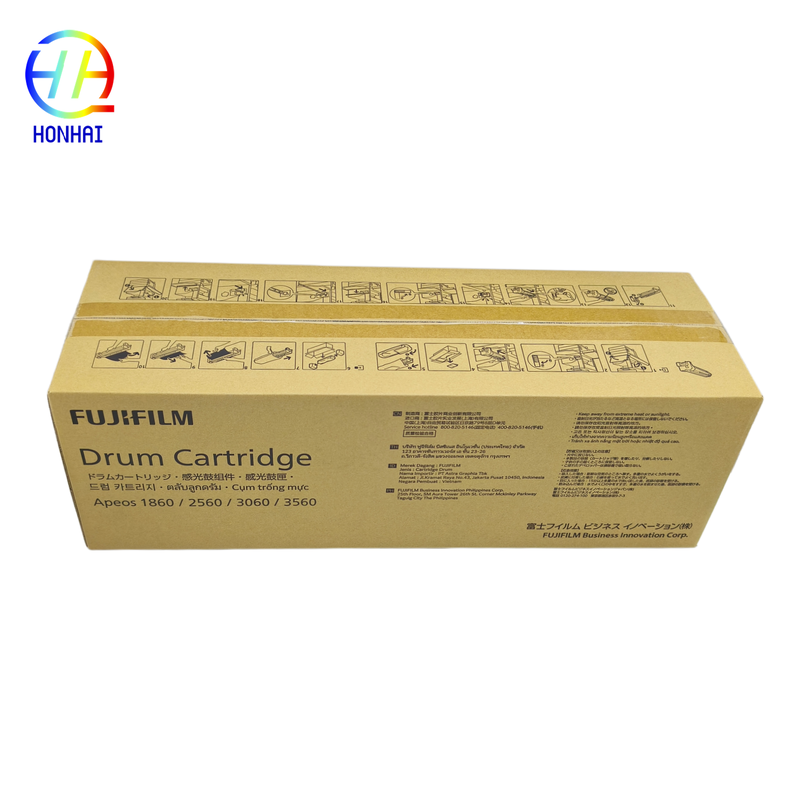
Original Drum Cartridge with 30,000 Page Yield and Premium OPC Material for FujiFilm Apeos 1860 2560 3060 3560 Printers

Product Details

Place of Origin: Japan

Brand Name: Xerox

Model Number: CT351357

Payment & Shipping Terms

Minimum Order Quantity: 10

Packaging Details: Original Packing

Delivery Time: 3-7 work days

Payment Terms: Western Union,T/T

Supply Ability: 5000 piece/Month

Get Best Price
Highlight:

Original Drum Cartridge for FujiFilm Apeos printers

,

Drum Cartridge with 30000 page yield

,

Premium OPC Drum Cartridge

Estimated Yield:
Pprox. 30,000 Pages (Based On A4 Size, 5% Coverage Standard)
Product Type:
Core Imaging Consumable For Monochrome Laser Printers/Copiers
Compatible Models:
FujiFilm Apeos 1860, 2560, 3060, 3560
Estimated Yield:
Pprox. 30,000 Pages (Based On A4 Size, 5% Coverage Standard)
Product Type:
Core Imaging Consumable For Monochrome Laser Printers/Copiers
Compatible Models:
FujiFilm Apeos 1860, 2560, 3060, 3560
Original Drum Cartridge with 30,000 Page Yield and Premium OPC Material for FujiFilm Apeos 1860 2560 3060 3560 Printers
Original New Drum Cartridge CT351357 for FujiFilm Apeos 1860 2560 3060 3560 Printer
Product Overview

The Drum Cartridge is what makes your laser printer work. It's a light-sensitive cylinder that captures the image produced by the laser and rolls it onto the paper.

  • Premium Imaging Quality: Manufactured using only the best-grade Organic Photo Conductor (OPC) material that has been coated with a smooth surface. Produces sharp prints on text, vibrant images, and the same level of print quality from the 1st page to the last.
  • Optimized Compatibility: Custom-designed to match the needs of the FujiFilm Apeos 1860/2560/3060/3560 series. Ensures there will be no issues communicating with the printer's motherboard (that means no error codes or mechanical problems).
  • Cost-Effective Performance: Designed for an exceptional high-yield lifespan of up to 30,000 pages, which lowers the overall cost-per-page for busy offices by reducing the number of times you need to replace your cartridge.
  • Reliable Durability: Made using upgraded wear-resistant materials with anti-static elements to endure high-volume, continuous printing and diverse office settings.
Product Images
Installation and Usage Guidelines

To keep your cartridge functioning as long as possible and to maintain quality of print, use the following guidelines when using/installing the drum.

  1. Before You Begin to Install
    • Light Sensitivity: OPC drums are highly light sensitive. The drum should not be exposed to direct light for more than five minutes. Continued exposure to light will cause permanent damage and will cause faded prints or background fog. Keep the drum in its protective bag until you are ready to install it.
    • Power Off: Make sure your printer is off and unplugged to allow the printer time to cool. You could get burned by internal printer parts (fuser).
    • ESD Protection: Handle the cartridge by the designated grips. Do not touch the green/blue drum surface or the metal charging contacts to avoid static and oil (from your hands) contamination.
  2. When Installing/Calibrating
    • Gently Insert: Slide the drum unit into the printer along the guide rails with no excess force. Make sure the drum is secured/locked into place.
    • Reset Drum Counter: This is a very important step that should be followed after you have installed a new drum. You need to inform your printer that a new drum has been installed. You do this by accessing the Admin Menu/machine > Maintenance > Reset Drum Counter (or similar path depending on your printer's firmware). Failure to reset the drum will cause you to receive a 'Replace Drum' message, even though your new cartridge is installed.
    • Test Print: After installing your new drum unit, you should print a few test pages to confirm that you do not have any horizontal lines or any vertical lines/spots on the test page.
  3. Ongoing Maintenance and Storage
    • Environment: Unused drum cartridges must be stored in their original packaging, sealed, lying flat, in a cool/dry location and not in extreme temperature or humidity, and not in direct sunlight.
    • Internal Cleaning: Whenever you replace your drum, you should carefully clean the corona wire (if applicable) and remove any toner or paper dust spill from the drum cavity using a lint-free cloth or soft brush.
    • Handling Scratches: Never use sharp objects or abrasive material to clean the drum surface. If you make even a microscopic scratch on the drum surface, that scratch will print as a permanent black line on your printed documents.
  4. Safety and Disposal
    • Do Not Disassemble: The drum unit is a sealed assembly. By opening the assembly, you will expose the internal components to light and dust, making the drum unusable and voiding your warranty.
    • Eco-Friendly Disposal: Used drum cartridges contain both electronic components and residual toner. You must recycle your used drum cartridges in accordance with an authorized e-waste recycling program or toner recycling program. Do not discard your used drum cartridge in your regular household trash.