logo
Products
quote
Products
Products
Products
Home > Products > Drum Unit > Drum Unit DK-8350 DK8350 For Kyocera 2552ci 2553ci 2554ci 3252ci 3253ci 3554ci Printer
Catagories
Contacts
Contacts: Mr. Jessie
Fax: 86-0757-86771039
Contact Now
Mail Us

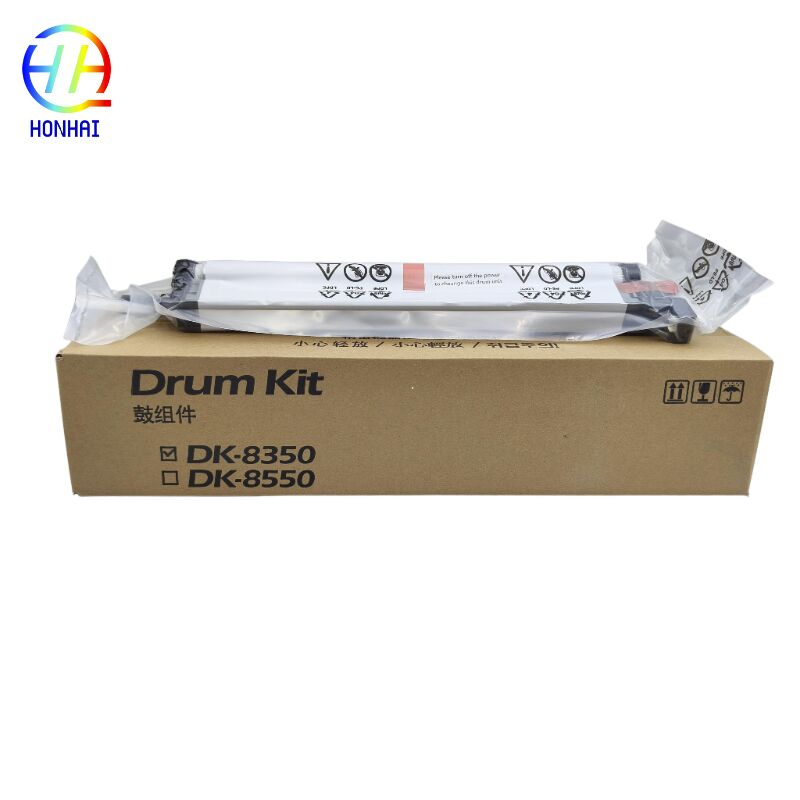
Drum Unit DK-8350 DK8350 For Kyocera 2552ci 2553ci 2554ci 3252ci 3253ci 3554ci Printer

Product Details

Place of Origin: China

Brand Name: Kyocera

Certification: CE, ISO9001

Model Number: DK-8350 DK8350

Payment & Shipping Terms

Minimum Order Quantity: 10

Packaging Details: Neutral Packing

Delivery Time: 3-7 work days

Payment Terms: T/T,Western Union

Supply Ability: 5000 piece/Month

Get Best Price
Highlight:

Kyocera drum unit DK-8350

,

Drum unit for Kyocera 2552ci printer

,

DK-8350 drum with warranty

Page Yield:
Approx. 200,000 Pages
Design Type:
Drum-Powder Separation
Package Contents:
1 X DK-8350 Drum Unit
Page Yield:
Approx. 200,000 Pages
Design Type:
Drum-Powder Separation
Package Contents:
1 X DK-8350 Drum Unit
Drum Unit DK-8350 DK8350 For Kyocera 2552ci 2553ci 2554ci 3252ci 3253ci 3554ci Printer
Professional Imaging for Your Kyocera TASKalfa Series

Keep your office looking like a million bucks with the DK-8350 Drum Unit and its high-quality imaging for Kyocera’s mid-speed colour multifunction printers. If you see background stains, dirtying colours, or repetitive marks on your A3 and A4 impressions, it’s time to retire that aging drum.

Constructed for high-volume office use, the DK-8350 is built for long life and clean imaging. With a yield of 200,000 prints, this drum unit can reduce your downtime and your overall cost per page. The DK-8350 Drum Unit is also the ideal ink for corporate offices and busy printers.

Drum Unit DK-8350 DK8350 For Kyocera 2552ci 2553ci 2554ci 3252ci 3253ci 3554ci Printer 0

Drum Unit DK-8350 DK8350 For Kyocera 2552ci 2553ci 2554ci 3252ci 3253ci 3554ci Printer 1

Compatibility List

This Drum Unit is fully compatible with the following Kyocera TASKalfa models:

  • Kyocera TASKalfa 2552ci
  • Kyocera TASKalfa 2553ci
  • Kyocera TASKalfa 2554ci
  • Kyocera TASKalfa 3252ci
  • Kyocera TASKalfa 3253ci
  • Kyocera TASKalfa 3554ci
Handling Precautions:
  • Keep Away from Light: Don’t subject the roller surface (the actual green or blue drum roller) to direct sunlight or heavy fluorescent light for a long period of time. The light will ruin the photosensitive coating and cause printing defects.
  • Avoid Contact: Never touch the drum roller with your bare hands. Skin oils will cause horrible spots that can’t be removed.
  • Control the Temperature: Store the drum unit in a cool, dry area (preferably under 35 degrees C) and keep the unit in the original container packaging until you are ready to open it.
Basic Replacement Steps:
  1. Leave the printer on (to initialize properly), or follow the replacement DVD service manual instructions for your specific model.
  2. Open the front cover of the Kyocera TASKalfa machine,
  3. Free the drum from the locking lever and carefully remove the old drum out of the machine. There is no need for special precautions in doing so.
  4. Unwrap a DK-8350 drum unit, and remove all protective tapes and clips.
  5. Carefully slide the new drum into the machine until it locks in place.
  6. Close the front cover and print a status page or test document to make sure it’s installed correctly.