logo
Products
quote
Products
Products
Products
Home > Products > Printer Main Board > Mainboard Main Board for Epson L850 L810 Formatter Board
Catagories
Contacts
Contacts: Mr. Jessie
Fax: 86-0757-86771039
Contact Now
Mail Us

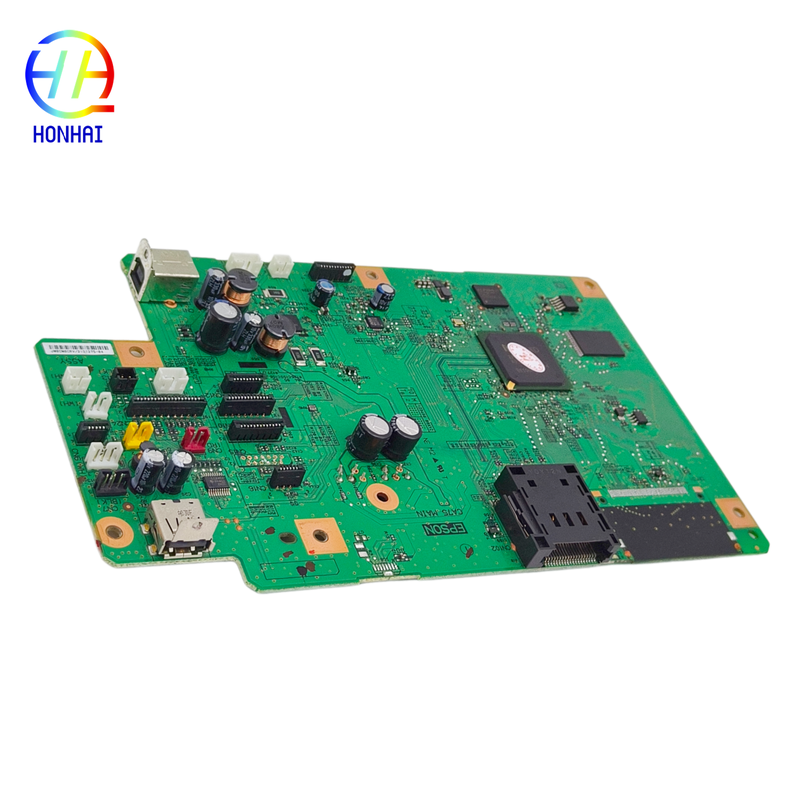
Mainboard Main Board for Epson L850 L810 Formatter Board

Product Details

Brand Name: Epson

Model Number: L850 L810

Payment & Shipping Terms

Minimum Order Quantity: 10

Packaging Details: Neutral Packing

Delivery Time: 3-7 work days

Payment Terms: T/T,Western Union

Supply Ability: 1000 piece/month

Get Best Price
Highlight:

Epson L850 formatter board

,

Epson L810 mainboard replacement

,

printer mainboard with warranty

Mainboard Main Board for Epson L850 L810 Formatter Board

Revitalize your high-quality photo printer with our Main Formatter Board replacement for the Epson L810 / L850 EcoTank series. The mainboard is your central processing unit (CPU), controlling every function from processing data to executing print commands, USB communication, and overall line system stability. Localized fatal error? Paper jam false alarms? Hardware not recognized? Won’t power on? Blame the mainboard! Try this replacement formatter board in your otherwise-perfect printer and get back to blasting out borderless A3+ prints in no time.

Product Specifications
  • Product Type: Printer Main Logic Board / Formatter Board
  • Compatible Part Type: Mainboard / Motherboard
  • Condition: Brand New / High-Quality Replacement
  • Application: Controls core printing operations, data processing, and system interfaces
  • Print Technology Compatibility: 6-Color Micro Piezo Inkjet (Supports high-precision photo output)
  • Package Includes: 1 x Main Formatter Board

Mainboard Main Board for Epson L850 L810 Formatter Board 0

Mainboard Main Board for Epson L850 L810 Formatter Board 1

Mainboard Main Board for Epson L850 L810 Formatter Board 2

Mainboard Main Board for Epson L850 L810 Formatter Board 3

Usage & Installation Notes
  1. Power Safety First: Always turn off the printer and completely unplug the power cord and USB cable from the electrical outlet before starting any disassembly.
  2. Verify Compatibility: Please double-check your printer's model name (Epson L810 or L850) on the device's exterior label to ensure this mainboard is compatible with your specific machine.
  3. Anti-Static Precautions: The mainboard contains highly sensitive electronic components. Please hold the board by its edges and avoid touching the chips or circuits directly to prevent damage from static electricity.
  4. Professional Installation: Replacing the mainboard involves disassembling the printer's outer casing and internal components. We highly recommend having a qualified printer repair technician install to avoid accidental damage.
  5. Post-Installation Setup: After replacing the board, the printer may require an initial setup. You might need to reinstall the printer drivers on your computer and run a nozzle check or head alignment to ensure optimal print quality.
  6. Waste Ink Counter Note: Please be aware that replacing the mainboard may reset or alter the printer's internal waste ink pad counter. If you encounter a "Service Required" or waste ink error after installation, a reset tool or manual maintenance may be needed.