logo
Products
quote
Products
Products
Products
Home > Products > Drum Unit > 46507416 CMYK Drum Unit for OKI C712 Series Printers - Premium Image Unit Replacement
Catagories
Contacts
Contacts: Mr. Jessie
Fax: 86-0757-86771039
Contact Now
Mail Us

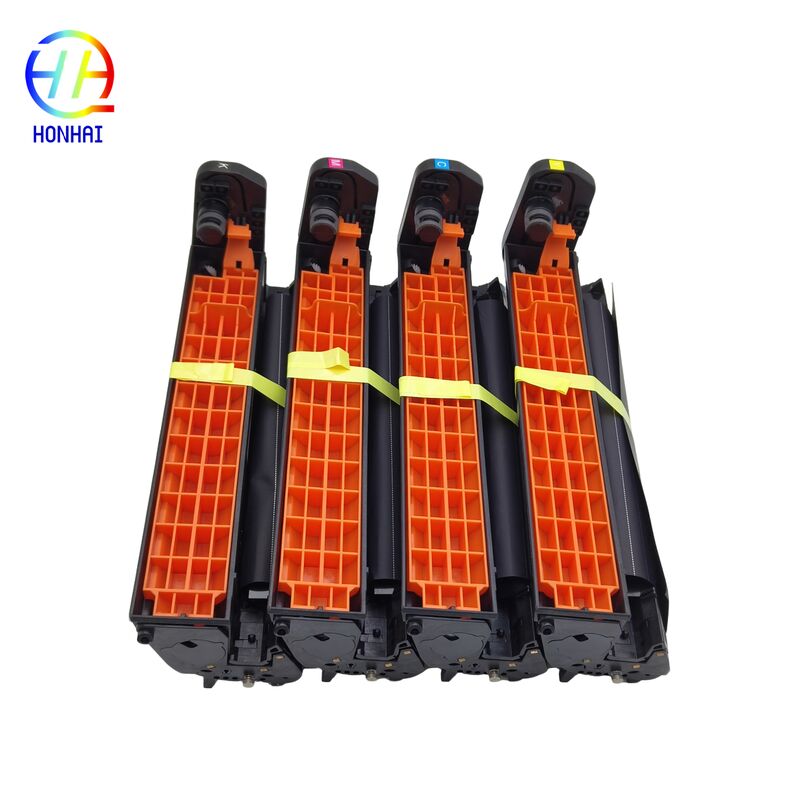
46507416 CMYK Drum Unit for OKI C712 Series Printers - Premium Image Unit Replacement

Product Details

Place of Origin: China

Brand Name: OKI

Certification: CE, ISO9001

Model Number: 46507416

Payment & Shipping Terms

Minimum Order Quantity: 10

Packaging Details: Neutral Packing

Delivery Time: 3-7 work days

Payment Terms: T/T,Western Union

Supply Ability: 5000 piece/Month

Get Best Price
Highlight:

OKI C712 drum unit replacement

,

CMYK drum unit for OKI printers

,

Premium image unit OKI C712

Color:
CMYK (Drum Assembly For Color LED Printers)
Package Contents:
1 X 46507416 Drum Unit
Color:
CMYK (Drum Assembly For Color LED Printers)
Package Contents:
1 X 46507416 Drum Unit
46507416 CMYK Drum Unit for OKI C712 Series Printers - Premium Image Unit Replacement
Drum Unit 46507416 for OKI C712N C712DN C712DNW C712NW Printer Image Unit
Restore Your OKI C712 Printer with a Premium Image Unit

Are you experiencing vertical stripes, faded colors, ghosted images, or background smear on your prints? It's time to replace the Image Drum Unit in your OKI C712 series printer. As the beating heart of OKI's advanced LED printing technology, a damaged or aged drum can wreak havoc on your document quality.

The 46507416 Drum Unit (Image Unit) is a premium alternative for the OKI C712 series. This imaging kit is designed to meet or exceed the OEM standard, providing superb quality printing and dependable service, perfect for any office, medical facility, or print bureau utilizing the versatile C712 series.

46507416 CMYK Drum Unit for OKI C712 Series Printers - Premium Image Unit Replacement 0 46507416 CMYK Drum Unit for OKI C712 Series Printers - Premium Image Unit Replacement 1 46507416 CMYK Drum Unit for OKI C712 Series Printers - Premium Image Unit Replacement 2
Compatibility List

This Drum Unit is fully compatible with the following OKI C712 series models:

  • OKI C712n
  • OKI C712dn
  • OKI C712dnw
  • OKI C712nw
How to Care for a Drum
  • Do not expose the surface of the drum (the actual rubber surface of the green or blue roller in front) to sunlight or to a strong light from your room for more than a few minutes. Exposure to light can destroy the photosensitive coating and cause defects showing up on your prints.
  • Don't touch this surface with your bare hands. Oils from human hands soil and can spot and streak your prints permanently.
  • If there is toner residue on the drum, don't scrape it off with a sharp object or use alcohol on it. Simply wipe it gently with a soft dry lint-free cloth, but only if absolutely necessary.
How to Change the Drum
  1. Power off the printer and pull open the front access door.
  2. Remove the toner cartridges and put them aside for now.
  3. Find the old Image Drum Unit, and release the locking lever or handle to carefully slide the unit all the way out.
  4. Unpack the new 46507416 drum unit and remove all the protective tapes, clips, and any other packing materials.
  5. Gently slide the new drum unit in until it clicks into place.
  6. Replace the toner cartridges, then close the door back on the printer. Power the machine on and print a test page to be sure everything is working.
Similar Products